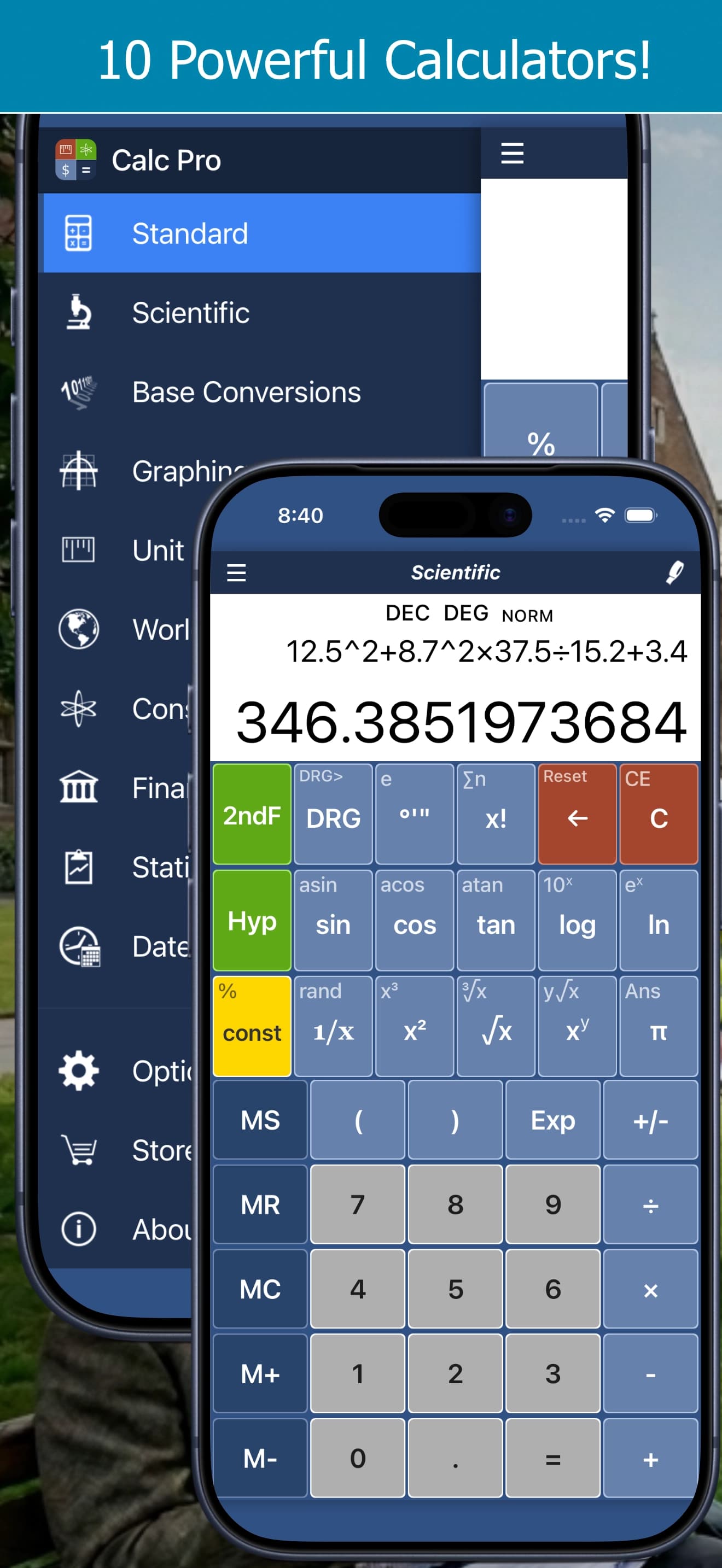
Bookmark this page! Here's everything you need to use Calc Pro effectively, all in one place.
The 10 Calculators
| Mode |
Best For |
| Standard |
Daily math, shopping, tips |
| Scientific |
Trigonometry, logarithms, advanced math |
| Graphing |
Visualizing equations |
| Base Conversions |
Programming, binary/hex |
| Unit Converter |
Measurements (37 categories) |
| Currency |
165+ currencies, 50 cryptocurrencies |
| Constants |
Nearly 2,000 science constants |
| Financial |
23 worksheets: loans to options |
| Statistics |
Data analysis, regression |
| Date & Time |
Date calculations, moon phases |
Entry Modes
Choose in Options → Calculator → Calculator mode. See RPN and Calculator Modes.
| Mode |
How it works |
2 + 3 × 4 |
| Normal |
Calculates left to right as you go |
20 |
| Algebraic |
Order of operations; number first, then function (30 sin) |
14 |
| Direct Algebraic |
Order of operations; functions as written (sin 30) |
14 |
| Expression |
Type the whole expression, then press = |
14 |
| RPN |
Numbers first, then the operation: 3 Enter 4 × 2 + |
14 |
RPN keys: Enter (in place of =), X<>Y (swap), R Up and Roll (rotate the stack) and Drop.
Display Formats
Choose in Options → Calculator → Notation. See Scientific Notation and Display Formats.
| Format |
Example (12,345) |
| Normal |
12345 |
| Scientific |
1.2345e4 |
| Engineering |
12.345e3 |
| Fractions |
Results as fractions where possible |
| Fixed |
2 to 10 decimal places |
Standard Calculator
Basic Operations
| Button |
Function |
| + |
Add |
| − |
Subtract |
| × |
Multiply |
| ÷ |
Divide |
| = |
Calculate |
| % |
Percent |
| ± |
Change sign |
Clear Functions
| Button |
Function |
| C |
Clear all |
| CE |
Clear entry only |
| ⌫ |
Backspace |
Memory
| Button |
Function |
| MS |
Store to memory |
| MR |
Recall from memory |
| MC |
Clear memory |
| M+ |
Add to memory |
| M− |
Subtract from memory |
Scientific Calculator
Trigonometric (Primary)
| Button |
Function |
| sin |
Sine |
| cos |
Cosine |
| tan |
Tangent |
Trigonometric (2ndF)
| Button |
Function |
| sin |
Arcsine (sin⁻¹) |
| cos |
Arccosine (cos⁻¹) |
| tan |
Arctangent (tan⁻¹) |
Logarithmic
| Button |
Primary |
2ndF |
| log |
log₁₀(x) |
10ˣ |
| ln |
ln(x) |
eˣ |
Powers & Roots
| Button |
Primary |
2ndF |
| x² |
Square |
Cube (x³) |
| √x |
Square root |
Cube root (³√x) |
| xʸ |
Power |
y-th root (ʸ√x) |
Special Functions
| Button |
Function |
| x! |
Factorial |
| 1/x |
Reciprocal |
| π |
Pi (3.14159...) |
| EE |
Scientific notation |
| ( ) |
Parentheses |
Angle Modes
| Mode |
Units |
| DEG |
Degrees (360° circle) |
| RAD |
Radians (2π circle) |
| GRAD |
Gradians (400 circle) |
Base Conversions
Number Systems
| Base |
Digits |
| BIN (2) |
0, 1 |
| OCT (8) |
0-7 |
| DEC (10) |
0-9 |
| HEX (16) |
0-9, A-F |
Bitwise Operations
| Op |
Function |
| AND |
Bitwise AND |
| OR |
Bitwise OR |
| XOR |
Exclusive OR |
| NOT |
Bitwise NOT |
| LSH |
Left shift |
| RSH |
Right shift |
Unit Converter Categories
- Distance
- Temperature
- Speed
- Weight/Mass
- Area
- Volume
- Time
- Pressure
- Energy
- Power
- Data Storage
- Data Transfer Rate
- Acceleration
- Density
- Force
- Torque
- Fuel Economy
- Angle
- Cooking
Financial Worksheets
| Worksheet |
Use For |
| Mortgage |
Home loan payments, extra payments |
| Loan |
General loan calculations |
| Compound Interest |
Investment growth |
| Depreciation |
Asset depreciation |
| Date Calculator |
Days between dates |
| Profit Margin |
Business profitability |
| Tip Calculator |
Restaurant tips |
| Break-Even |
Business analysis |
| Percent Change |
Price changes |
| TVM ★ |
Time value of money |
| Cash Flow ★ |
NPV and IRR |
| Lease ★ |
Lease payments and total cost |
| Retirement ★ |
Retirement savings and income |
| Savings Goal ★ |
Monthly deposit to reach a goal |
| Credit Card Payoff ★ |
Months to pay off, total interest |
| Inflation ★ |
Future cost, purchasing power |
| Bond ★ |
Price and yield to maturity |
| Stock Return ★ |
Gain/loss and annualized return |
| Average Cost ★ |
Dollar-cost averaging |
| Dividend Income ★ |
Dividend income with reinvestment |
| Options P/L ★ |
Calls, puts, covered calls |
| Black-Scholes ★ |
Option price and Greeks |
| Position Size ★ |
Shares to buy for your risk |
★ Pro Premium in the iPhone & iPad app. Amortization schedules and PDF export are also Pro Premium.
TVM Variables
| Variable |
Meaning |
| N |
Number of periods |
| I/Y |
Interest rate/year |
| PV |
Present value |
| PMT |
Payment |
| FV |
Future value |
Statistics
Descriptive Statistics
| Statistic |
Symbol |
| Count |
n |
| Sum |
Σx |
| Mean |
x̄ |
| Median |
Med |
| Mode |
Mo |
| Std Dev |
s |
| Variance |
s² |
Regression Types
- Linear: y = a + bx
- Logarithmic: y = a + b·ln(x), or base 10: y = a + b·log(x)
- Exponential: y = a·bˣ
- Power: y = a·xᵇ
- Reciprocal: y = a + b/x
- Quadratic: y = ax² + bx + c
- Cubic ★: y = ax³ + bx² + cx + d
- Quartic ★: y = ax⁴ + bx³ + cx² + dx + e
- Logistic ★: y = c / (1 + a·e⁻ᵇˣ)
★ Pro Premium in the iPhone & iPad app, along with distributions, confidence intervals and hypothesis tests.
Constants Quick Reference
Mathematical
| Constant |
Value |
| π |
3.14159265... |
| e |
2.71828182... |
| φ (Golden) |
1.61803398... |
Physical (SI Units)
| Constant |
Value |
| c (light) |
2.998 × 10⁸ m/s |
| G (gravity) |
6.674 × 10⁻¹¹ |
| h (Planck) |
6.626 × 10⁻³⁴ J·s |
| Nₐ (Avogadro) |
6.022 × 10²³ |
| e (charge) |
1.602 × 10⁻¹⁹ C |
Keyboard Shortcuts (Desktop)
Numbers & Decimals
| Key |
Action |
| 0-9 |
Enter digit |
| . |
Decimal point |
| Backspace |
Delete |
Operations
| Key |
Action |
| + |
Add |
| - |
Subtract |
| * |
Multiply |
| / |
Divide |
| Enter |
Equals |
| Esc |
Clear |
Common Formulas
Percentages
X% of Y = Y × X ÷ 100
Y + X% = Y × (1 + X/100)
Y − X% = Y × (1 − X/100)
Compound Interest
A = P(1 + r/n)^(nt)
Loan Payment
PMT = PV × [r(1+r)ⁿ] / [(1+r)ⁿ − 1]
Distance-Rate-Time
Distance = Rate × Time
Quadratic Formula
x = (−b ± √(b²−4ac)) / 2a
Quick Conversions
Temperature
- °F = °C × 9/5 + 32
- °C = (°F − 32) × 5/9
Length
- 1 inch = 2.54 cm
- 1 mile = 1.609 km
- 1 foot = 0.3048 m
Weight
- 1 pound = 0.4536 kg
- 1 ounce = 28.35 g
Volume
- 1 gallon (US) = 3.785 L
- 1 cup = 237 mL
Tips for Success
- Use 2ndF for inverse functions
- Use Memory for multi-step calculations
- Check angle mode before trig functions
- Use EE for scientific notation
- Compare regression r² for best fit
Troubleshooting
| Problem |
Solution |
| Wrong trig result |
Check DEG/RAD mode |
| Unexpected result |
Check order of operations |
| Memory not working |
Try MC first to clear |
| Display shows E |
Result overflow |
All Calc Pro Guides
- Getting Started with Calc Pro
- Scientific Calculator
- Graphing Calculator
- Binary, Hex and Octal (Base Conversions)
- Unit Converter
- Currency and Crypto Converter
- Scientific Constants
- Financial Calculator
- Statistics Calculator
- Date and Time Calculator
- Standard Calculator
- The 2ndF Button
- Memory Keys
- Scientific Notation and Display Formats
- Customizing Calc Pro
- Quick Reference Card
- RPN and Calculator Modes
- Mortgage Calculator
- Retirement and Savings Planning
- Investing and Options
- Probability and Hypothesis Tests
Print this page or bookmark it for quick reference. Next: RPN and Calculator Modes





 Coming soon