Scientific Notation and Display Formats in Calc Pro
Enter very large and small numbers with the Exp key, and switch between normal, scientific, engineering, fraction and fixed-decimal displays.
When numbers get astronomically large or infinitesimally small, standard decimal notation becomes unwieldy. Scientific notation is the solution, and Calc Pro handles it beautifully.
What is Scientific Notation?
Scientific notation expresses numbers as:
a × 10ⁿ
Where:
- a (coefficient): A number between 1 and 10
- n (exponent): A positive or negative integer
Examples
| Standard Form | Scientific Notation |
|---|---|
| 6,022,000,000,000,000,000,000,000 | 6.022 × 10²³ |
| 299,792,458 | 2.99792458 × 10⁸ |
| 0.000000000000000000000001602 | 1.602 × 10⁻¹⁹ |
| 0.0000000667 | 6.67 × 10⁻⁸ |
The EE/EXP Button
In Calc Pro, the EE (Enter Exponent) or Exp button is used to enter scientific notation.
Display Format
Calc Pro displays scientific notation as:
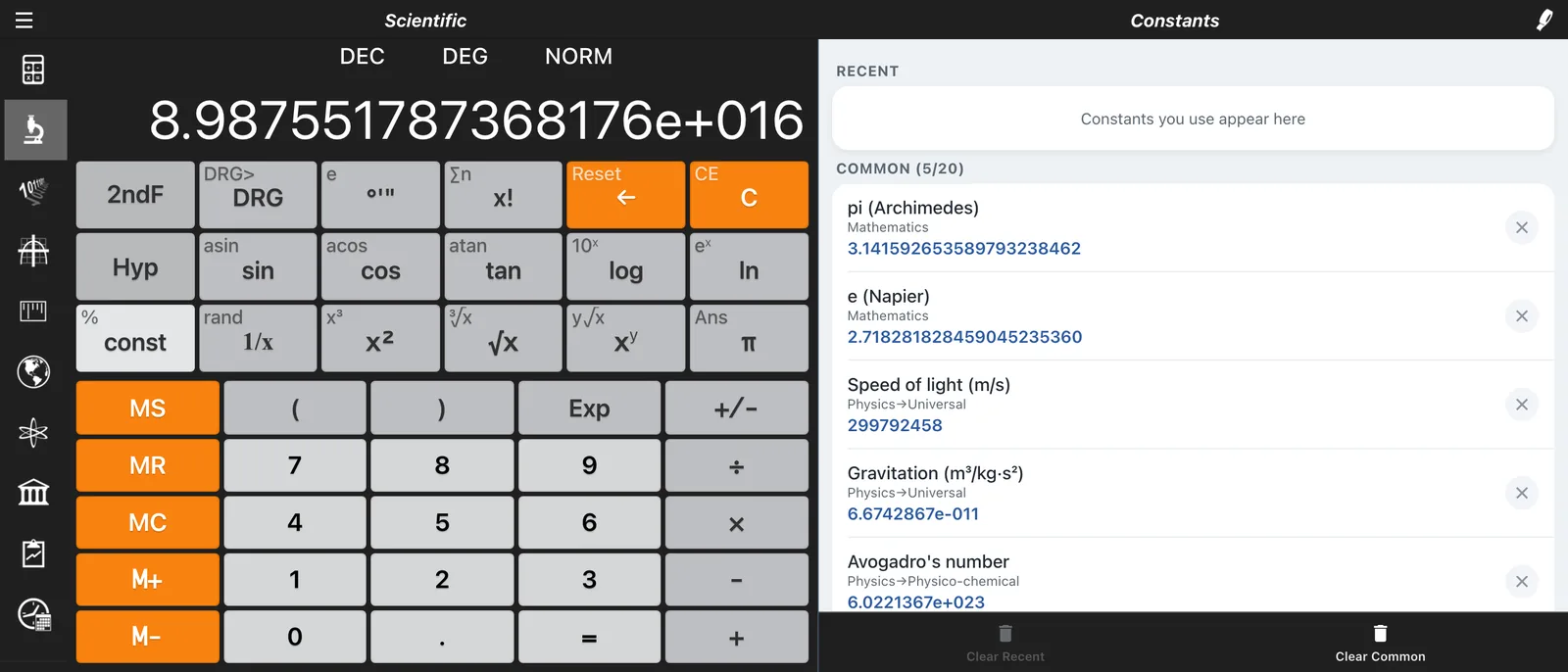
6.022e23    (meaning 6.022 × 10²³)
1.602e-19   (meaning 1.602 × 10⁻¹⁹)
The "e" stands for "exponent" (not Euler's e).
Entering Numbers in Scientific Notation
Step-by-Step Method
- Enter the coefficient (mantissa)
- Press EE or Exp
- Enter the exponent
- (If negative exponent, press ± or +/−)
Example: Enter Avogadro's Number (6.022 × 10²³)
6.022 [EE] 23
Display: 6.022e23
Example: Enter Planck's Constant (6.626 × 10⁻³⁴)
6.626 [EE] 34 [±]
Display: 6.626e-34
Example: Enter Speed of Light (2.998 × 10⁸)
2.998 [EE] 8
Display: 2.998e8
Example: Enter Electron Charge (1.602 × 10⁻¹⁹)
1.602 [EE] 19 [±]
Display: 1.602e-19
Calculations with Scientific Notation
Multiplication
When multiplying, exponents add:
(a × 10ᵐ) × (b × 10ⁿ) = (a × b) × 10ᵐ⁺ⁿ
Example: (3 × 10⁴) × (2 × 10⁵)
3 [EE] 4 × 2 [EE] 5 =
Result: 6e9 (6 × 10⁹)
Division
When dividing, exponents subtract:
(a × 10ᵐ) ÷ (b × 10ⁿ) = (a ÷ b) × 10ᵐ⁻ⁿ
Example: (8 × 10⁶) ÷ (4 × 10²)
8 [EE] 6 ÷ 4 [EE] 2 =
Result: 2e4 (2 × 10⁴ = 20,000)
Addition and Subtraction
Numbers must have the same exponent to add/subtract directly, but Calc Pro handles the conversion automatically.
Example: (5 × 10³) + (3 × 10²)
5 [EE] 3 + 3 [EE] 2 =
Result: 5.3e3 (5.3 × 10³ = 5,300)
Powers and Roots
Example: (2 × 10³)²
2 [EE] 3 x²
Result: 4e6 (4 × 10⁶)
Example: √(9 × 10⁸)
9 [EE] 8 √
Result: 3e4 (3 × 10⁴)
Display Formats
Calc Pro has five ways to show numbers. Choose one in Options → Calculator → Notation; the current format appears at the top of the display, next to the angle mode.
Normal (NORM)
Displays numbers in standard form when practical, and switches to scientific notation for very large or very small numbers.
Scientific (SCI)
Always displays numbers in scientific notation.
Engineering (ENG)
Like scientific, but exponents are always multiples of 3, matching metric prefixes such as kilo (10³), mega (10⁶) and milli (10⁻³).
| Value | Normal | SCI | ENG |
|---|---|---|---|
| 12,345 | 12345 | 1.2345e4 | 12.345e3 |
| 0.00456 | 0.00456 | 4.56e-3 | 4.56e-3 |
| 123,456,789 | 123456789 | 1.23456789e8 | 123.456789e6 |
Fractions (FRAC)
Shows results as fractions where possible, which is handy for measurements, recipes and exact answers.
Fixed
Rounds the display to a set number of decimal places, from 2 to 10, chosen with Fixed digits in Options. Two places is perfect for money; more suits lab work that needs consistent precision.
Practical Applications
Physics Calculations
Calculate photon energy: E = hf
Where:
- h = 6.626 × 10⁻³⁴ J·s (Planck's constant)
- f = 5 × 10¹⁴ Hz (frequency of green light)
6.626 [EE] 34 [±] × 5 [EE] 14 =
Result: 3.313e-19 J
Chemistry Calculations
Number of atoms in 12g of carbon:
Using Avogadro's number (6.022 × 10²³ atoms/mol):
6.022 [EE] 23
Display: 6.022e23 atoms
Mass of a single atom:
12 ÷ 6.022 [EE] 23 =
Result: 1.993e-23 grams per atom
Astronomy Calculations
Light year in meters:
Speed of light × seconds per year:
3 [EE] 8 × 3.156 [EE] 7 =
Result: 9.468e15 meters (about 9.5 trillion km)
Electronics Calculations
Capacitor charge: Q = CV
Where:
- C = 47 × 10⁻⁶ F (47 microfarads)
- V = 5 V
47 [EE] 6 [±] × 5 =
Result: 2.35e-4 C (235 microcoulombs)
Common Scientific Notation Values
Physical Constants
| Constant | Value | Notation |
|---|---|---|
| Speed of light | 299,792,458 m/s | 2.998e8 |
| Planck's constant | 6.626 × 10⁻³⁴ J·s | 6.626e-34 |
| Electron charge | 1.602 × 10⁻¹⁹ C | 1.602e-19 |
| Avogadro's number | 6.022 × 10²³ /mol | 6.022e23 |
| Gravitational constant | 6.674 × 10⁻¹¹ N·m²/kg² | 6.674e-11 |
| Electron mass | 9.109 × 10⁻³¹ kg | 9.109e-31 |
| Boltzmann constant | 1.381 × 10⁻²³ J/K | 1.381e-23 |
Astronomical Distances
| Distance | Value (meters) | Notation |
|---|---|---|
| Earth to Moon | 384,400,000 | 3.844e8 |
| Earth to Sun | 149,600,000,000 | 1.496e11 |
| Light year | 9,461,000,000,000,000 | 9.461e15 |
| Parsec | 30,860,000,000,000,000 | 3.086e16 |
Prefixes and Powers
| Prefix | Symbol | Power | Value |
|---|---|---|---|
| Tera | T | 10¹² | 1e12 |
| Giga | G | 10⁹ | 1e9 |
| Mega | M | 10⁶ | 1e6 |
| Kilo | k | 10³ | 1e3 |
| Milli | m | 10⁻³ | 1e-3 |
| Micro | μ | 10⁻⁶ | 1e-6 |
| Nano | n | 10⁻⁹ | 1e-9 |
| Pico | p | 10⁻¹² | 1e-12 |
Tips for Scientific Notation
1. Count Decimal Places
To convert to scientific notation:
- Move decimal until you have one digit before it
- Count the places moved = exponent
- Moving left = positive exponent
- Moving right = negative exponent
Example: 123,000
123,000 → 1.23 × 10⁵ (moved 5 places left)
2. Estimate Before Calculating
Quick mental check:
(3 × 10⁵) × (4 × 10³) ≈ 12 × 10⁸ = 1.2 × 10⁹
3. Watch Signs Carefully
Negative exponent ≠ negative number:
- 5 × 10⁻³ = 0.005 (positive, just small)
- −5 × 10³ = −5000 (negative number)
4. Use Engineering Notation for Real-World Values
Engineering notation (exponents in multiples of 3) matches metric prefixes:
- 4.7e3 = 4.7 kilo-
- 3.3e-6 = 3.3 micro-
5. Verify with Constants
Use Calc Pro's built-in constants to verify your entries:
- Access Constants calculator
- Compare your entered value
Error Handling
Overflow
If a result is too large to display, Calc Pro shows an error. The maximum is typically around 10⁹⁹.
Underflow
Very small results approaching zero may round to 0 or show minimum displayable value.
Precision Limits
Calc Pro maintains about 15-16 significant digits internally. Results beyond this precision may have rounding.
Conclusion
Scientific notation is essential for science, engineering, and any field dealing with extreme numbers. Calc Pro's EE button makes entering and calculating with these values straightforward and error-free.

Calc Pro
4.6 · 4,712 ratingsPut the Scientific Calculator to work
Use it free in your browser right now, or take Calc Pro with you on iPhone and iPad.
Take it with you


 Coming soon
Free with ads · In-app purchase unlocks the full Pro Premium version