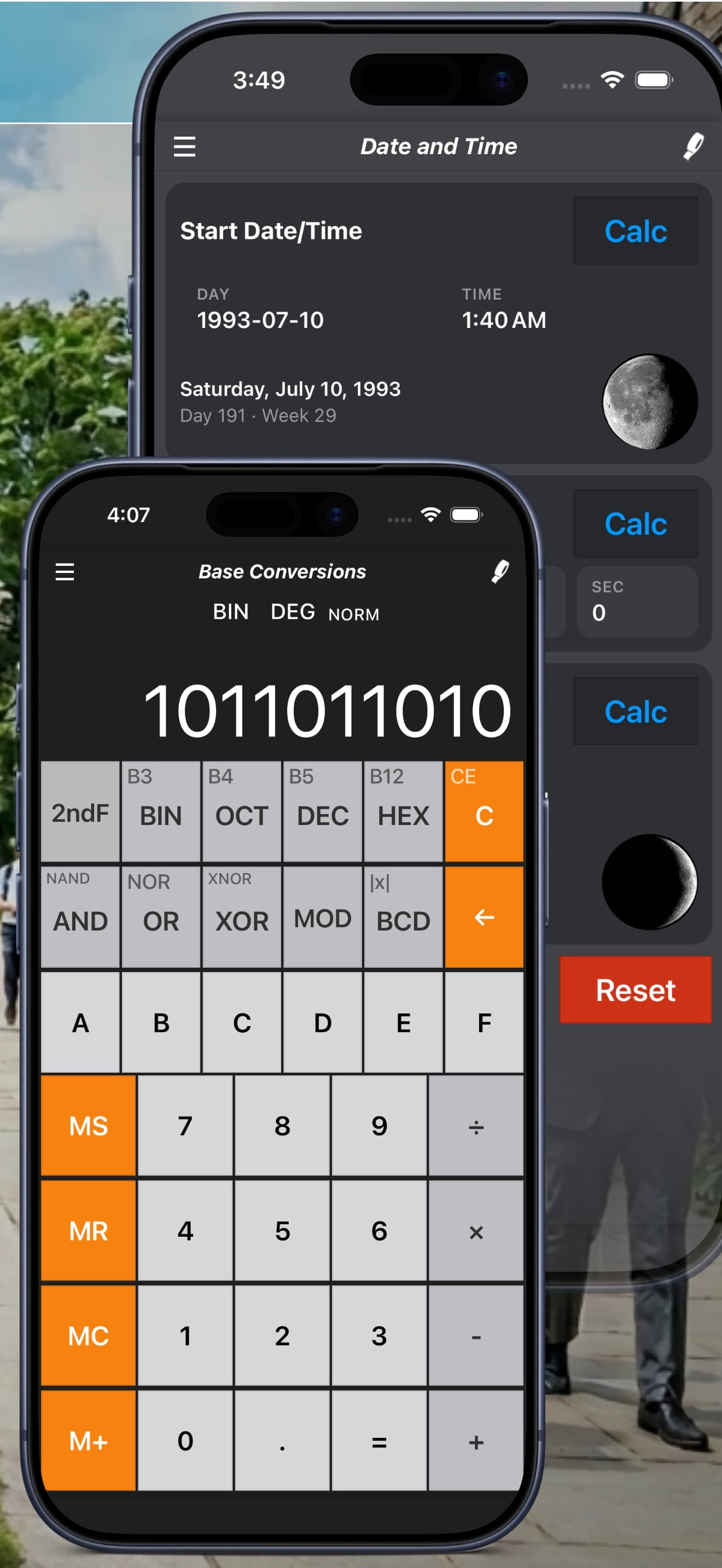
Date and Time Calculator Guide: Days Between Dates and Moon Phases
Count the time between two dates, add or subtract days, hours and minutes, and see moon phases with Calc Pro's date and time calculator.
Calc Pro's Date and Time Calculator is your comprehensive tool for all time-based calculations. From counting days between dates to tracking lunar cycles, this guide covers every feature.
Overview
The Date and Time Calculator provides:
- Days between dates calculations
- Add/subtract days from dates
- Moon phase tracking
- Current date/time reference
The Interface
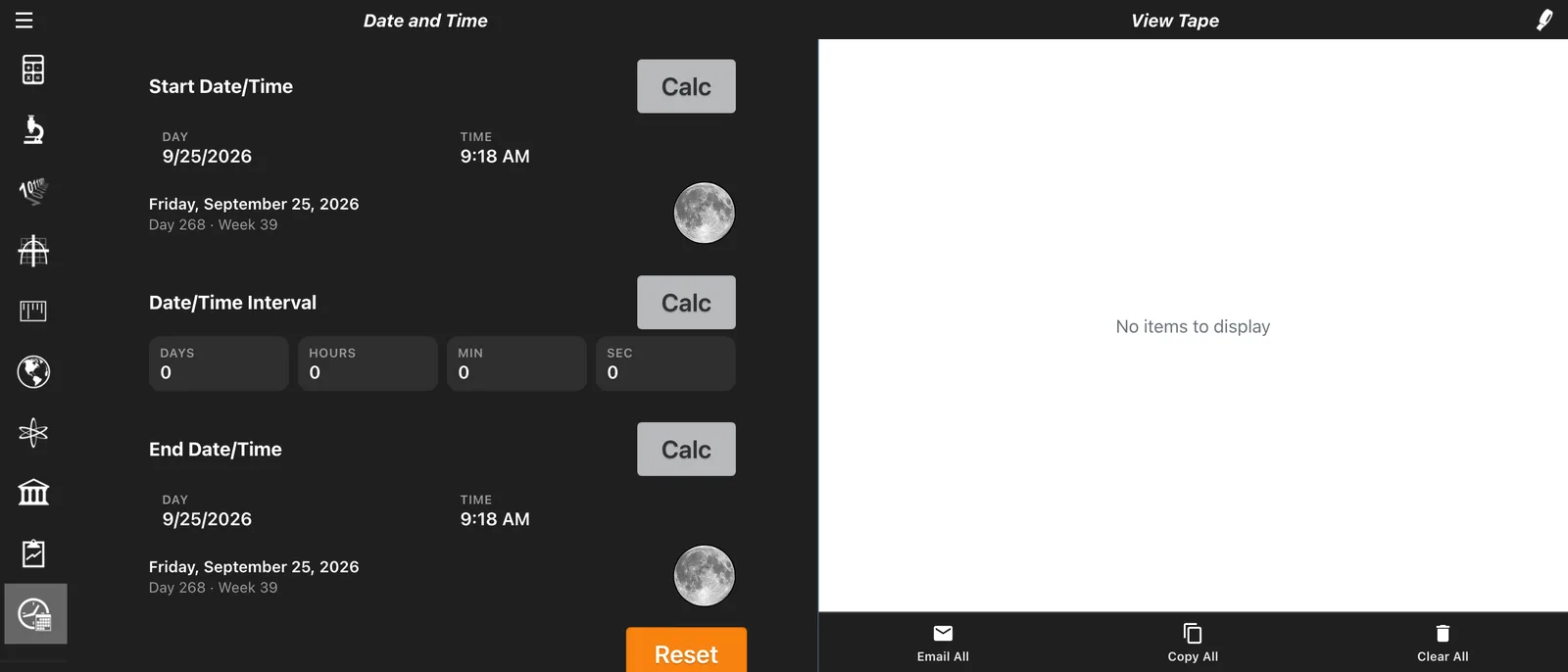
The Date and Time Calculator has three panels:
- Start Date/Time: pick a date and time
- Date/Time Interval: a length of time in days, hours, minutes and seconds
- End Date/Time: pick a second date and time
Each panel has its own Calc button, which works that panel out from the other two:
- Calc on the interval finds the time between the start and end
- Calc on the end date adds the interval to the start date
- Calc on the start date subtracts the interval from the end date
For each date, Calc Pro also shows the day of the week, the day of the year and the week number, plus a picture of the moon's phase. Reset starts over.
Days Between Dates
Try it free in your browser: Date Calculator
Calculate the exact number of days between any two dates.
How to Calculate
- Set the Start Date/Time
- Set the End Date/Time
- Tap Calc on the Date/Time Interval panel to see the time between them in days, hours, minutes and seconds
Example: Vacation Countdown
How many days until December 25, 2025?
- Start date: Today (e.g., January 14, 2025)
- End date: December 25, 2025
- Result: 345 days
Example: Age in Days
How many days old are you?
- Start date: Your birth date
- End date: Today
- Result shows your age in days
Fun fact: The average person has lived about:
- 10,000 days at age 27
- 20,000 days at age 55
- 30,000 days at age 82
Including/Excluding End Date
Be aware whether the calculation includes or excludes the end date:
- "Days until" typically excludes today
- "Duration including" typically includes both dates
Add Days to a Date
Find future dates by adding days.
How to Use
- Set the Start Date/Time
- Enter the days (and any hours, minutes or seconds) to add in the Date/Time Interval panel
- Tap Calc on the End Date/Time panel to see the resulting date
Example: Delivery Estimate
Order placed January 15, shipping takes 7-10 business days:
- Start: January 15, 2025
- Add: 10 business days
- Result: January 29, 2025 (approximately)
Example: Payment Due Date
Invoice dated January 1, Net 30 terms:
- Start: January 1, 2025
- Add: 30 days
- Result: January 31, 2025
Example: Project Deadline
Project starts March 1, duration 90 days:
- Start: March 1, 2025
- Add: 90 days
- Result: May 30, 2025
Subtract Days from a Date
Find past dates by subtracting days.
How to Use
- Set the End Date/Time to your reference date
- Enter the days (and any hours, minutes or seconds) to go back in the Date/Time Interval panel
- Tap Calc on the Start Date/Time panel to see the earlier date
Example: Return Window
Purchase made, 30-day return policy, today is Jan 20:
- Reference: January 20, 2025
- Subtract: 30 days
- Earliest purchase: December 21, 2024
Example: Pregnancy Due Date
Due date is September 15, pregnancy is ~280 days:
- Reference: September 15, 2025
- Subtract: 280 days
- Conception estimate: December 9, 2024
Example: Statute of Limitations
Filing deadline is today, 365-day limit:
- Reference: Today
- Subtract: 365 days
- Incident must be after: One year ago today
Moon Phase Calculator
Track the lunar cycle with detailed moon phase information.
The Lunar Cycle
The Moon completes a full cycle every ~29.5 days:
| Phase | Days | Illumination |
|---|---|---|
| New Moon | 0 | 0% |
| Waxing Crescent | 1-7 | 1-49% |
| First Quarter | 7 | 50% |
| Waxing Gibbous | 7-14 | 51-99% |
| Full Moon | 14-15 | 100% |
| Waning Gibbous | 15-22 | 99-51% |
| Third Quarter | 22 | 50% |
| Waning Crescent | 22-29 | 49-1% |
Moon Phase Information
For your start and end dates, Calc Pro shows a picture of the moon's phase, so you can see at a glance whether the moon is new, a crescent, at a quarter, gibbous or full. Use the table above to match what you see to the lunar cycle.
Practical Uses for Moon Phases
Photography
- Full moon: Nighttime landscapes
- New moon: Astrophotography (dark sky)
- Crescent moon: Atmospheric shots
Gardening
- Planting by moon phases (folklore)
- Full moon: Increased moisture in soil
- New moon: Root growth phase
Fishing
- Many anglers believe fish feed more during full/new moons
- Tide predictions (moon affects tides)
Wildlife Observation
- Nocturnal animals more visible during full moon
- Migration timing may correlate with lunar cycles
Planning Events
- Outdoor evening events: Consider moonlight
- Stargazing parties: Choose new moon periods
Example: Plan a Stargazing Night
Find the next new moon:
- Open Date and Time Calculator
- Check current moon phase
- Note days until new moon
- Plan your event accordingly
Example: Full Moon Photography
When is the next full moon?
- View current phase
- If waxing: Full moon coming soon
- If waning: Wait ~2 weeks
- Mark calendar for optimal shooting
Time Calculations
Hours and Minutes
Some date calculations may need time precision:
- Meeting schedules across days
- Travel duration
- Event planning
Time Zones
When calculating across time zones:
- A day boundary shifts depending on location
- "Tomorrow" in New York is "Today" in Los Angeles after 9 PM EST
Practical Applications
Personal Planning
Birthday Countdown
How many days until your next birthday?
- Enter today's date
- Enter next birthday
- Get excited about the countdown!
Anniversary Tracker
Days since you met someone special:
- Enter the date you met
- Enter today
- See your journey in days
Habit Tracking
Days since starting a new habit:
- Day 1: January 1 (New Year's resolution)
- Today: January 14
- Streak: 14 days!
Professional Use
Project Management
- Sprint duration calculations
- Milestone date planning
- Deadline counting
Contract Deadlines
- Notice periods (30/60/90 days)
- Filing deadlines
- Warranty expirations
Financial Planning
- Days until payment due
- Interest calculation periods
- Statement cycle lengths
Health and Wellness
Medication Tracking
- Days since starting medication
- Days until refill needed
- Treatment duration
Pregnancy Tracking
- Weeks and days pregnant
- Trimester calculations
- Due date countdown
Fitness Goals
- Days into a program
- Time to goal deadline
- Streak maintenance
Travel Planning
Trip Countdown
- Days until departure
- Duration of trip
- Days until return
Visa Calculations
- Days remaining on visa
- 90-day stay limits
- Re-entry date requirements
Quick Reference
Days in Each Month
| Month | Days | Mnemonic |
|---|---|---|
| January | 31 | |
| February | 28/29 | Leap year: +1 |
| March | 31 | |
| April | 30 | "30 days has September..." |
| May | 31 | |
| June | 30 | |
| July | 31 | |
| August | 31 | |
| September | 30 | |
| October | 31 | |
| November | 30 | |
| December | 31 |
Total: 365 days (366 in leap years)
Leap Year Rule
A year is a leap year if:
- Divisible by 4 AND
- Not divisible by 100 UNLESS
- Also divisible by 400
Examples:
- 2024: Leap year ✓
- 2100: Not leap year ✗
- 2000: Leap year ✓
Useful Benchmarks
| Duration | Days | Notes |
|---|---|---|
| 1 week | 7 | |
| 2 weeks | 14 | Fortnight |
| 1 month | ~30 | Varies 28-31 |
| 1 quarter | ~91 | 13 weeks |
| 1 year | 365/366 | |
| 1 decade | 3,652/3,653 |
Tips for Date Calculations
1. Double-Check Important Dates
For legal or financial deadlines, verify calculations manually or with another source.
2. Consider Business Days
Some deadlines count only business days (excluding weekends and holidays).
3. Account for Time Zones
International date calculations may shift by a day depending on time zones.
4. Include or Exclude
Be clear whether your calculation includes the start/end dates or counts the span between them.
5. Document Assumptions
When sharing date calculations, note your assumptions about starting points and counting methods.
Conclusion
Calc Pro's Date and Time Calculator simplifies all your temporal calculations. Whether you're counting down to a special event, managing project deadlines, or tracking lunar cycles, this tool provides accurate, instant results.
Next: Learn about the Standard Calculator and basic operations

Calc Pro
4.6 · 4,712 ratingsPut the Date & Time Calculator to work
Use it free in your browser right now, or take Calc Pro with you on iPhone and iPad.
Take it with you


 Coming soon
Free with ads · In-app purchase unlocks the full Pro Premium version