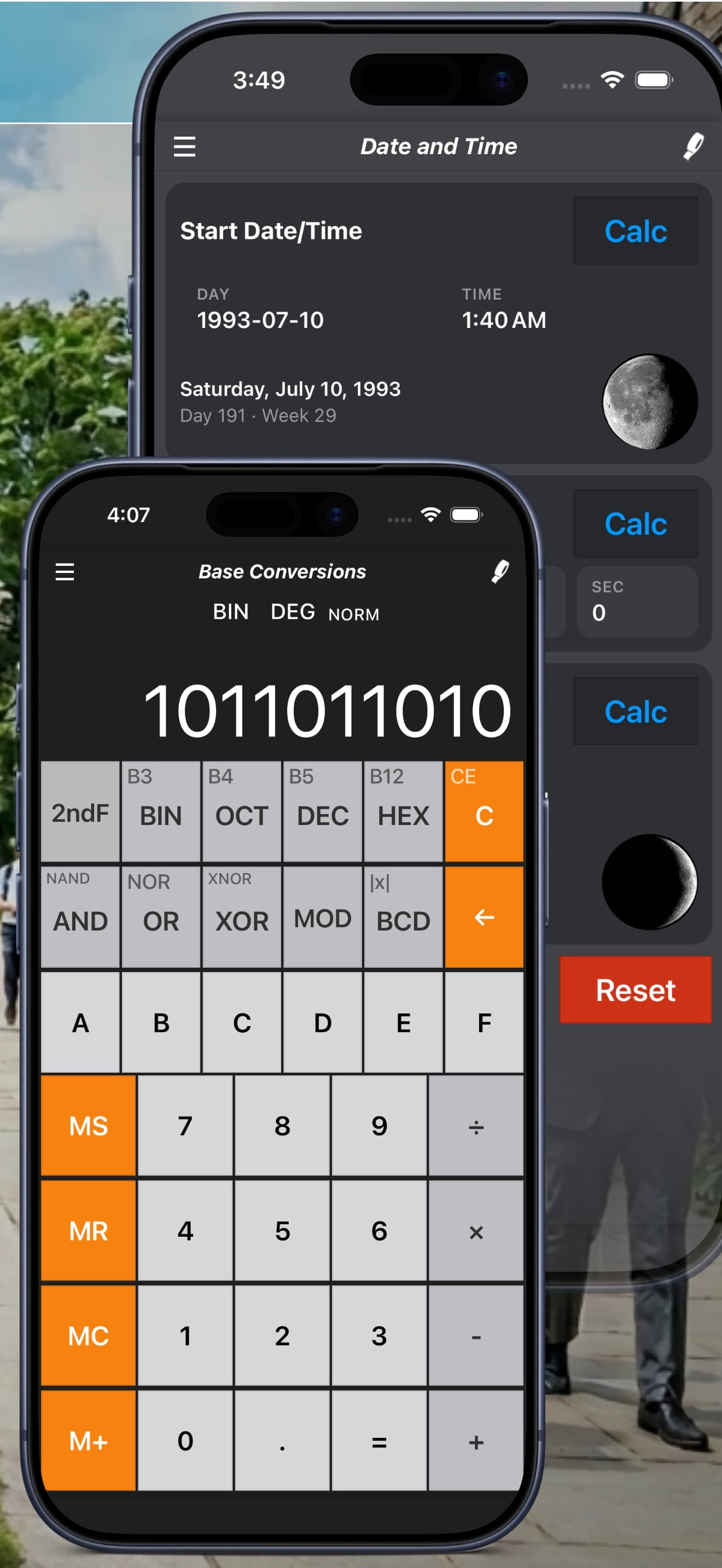
Binary, Hex and Octal Calculator Guide: Base Conversions Made Easy
Convert and calculate in binary, octal, decimal and hexadecimal with Calc Pro, including AND, OR, XOR and other bitwise operations.
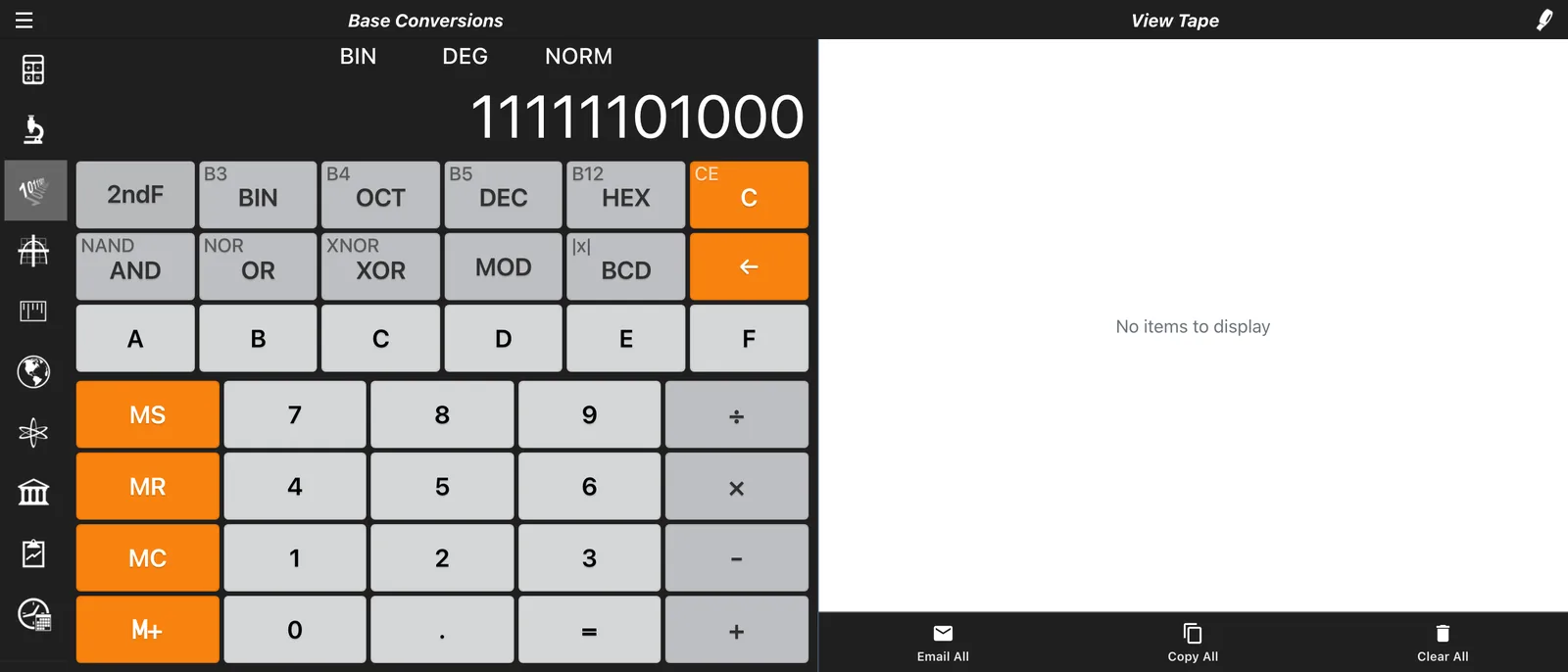
Whether you're a software developer, computer science student, or electronics enthusiast, Calc Pro's Programmer Calculator (Base Conversions) is an essential tool. This guide covers everything from basic conversions to advanced bitwise operations.
Overview
The Programmer Calculator displays numbers in multiple bases simultaneously:
- DEC: Decimal (base 10) - our everyday number system
- HEX: Hexadecimal (base 16) - used in programming and web colors
- OCT: Octal (base 8) - used in Unix file permissions
- BIN: Binary (base 2) - the fundamental language of computers
Understanding Number Bases
Decimal (Base 10)
What we use daily: 0, 1, 2, 3, 4, 5, 6, 7, 8, 9
Example: 255₁₀ = 2×100 + 5×10 + 5×1
Binary (Base 2)
Only two digits: 0 and 1
Example: 11111111₂ = 128 + 64 + 32 + 16 + 8 + 4 + 2 + 1 = 255
Octal (Base 8)
Eight digits: 0, 1, 2, 3, 4, 5, 6, 7
Example: 377₈ = 3×64 + 7×8 + 7×1 = 255
Hexadecimal (Base 16)
Sixteen digits: 0-9 and A-F
| Hex | Decimal |
|---|---|
| A | 10 |
| B | 11 |
| C | 12 |
| D | 13 |
| E | 14 |
| F | 15 |
Example: FF₁₆ = 15×16 + 15×1 = 255
The Interface
Multi-Base Display
The top section shows your number in all four bases simultaneously:
DEC: 255
HEX: FF
OCT: 377
BIN: 11111111
Base Selection
Select your input base using the mode buttons:
- DEC: Enter decimal numbers
- HEX: Enter hexadecimal numbers
- OCT: Enter octal numbers
- BIN: Enter binary numbers
Adaptive Keyboard
The number pad adapts to your selected base:
- BIN mode: Only 0 and 1 active
- OCT mode: Only 0-7 active
- DEC mode: Only 0-9 active
- HEX mode: 0-9 and A-F active
Basic Conversions
Convert Decimal to Binary
Example: Convert 42 to binary
- Select DEC mode
- Enter:
42 - Read the BIN display:
101010
Convert Binary to Decimal
Example: Convert 10110 to decimal
- Select BIN mode
- Enter:
10110 - Read the DEC display:
22
Convert Hex to Decimal
Example: Convert 1F4 to decimal
- Select HEX mode
- Enter:
1F4 - Read the DEC display:
500
Convert Decimal to Hex
Example: Convert 255 to hexadecimal
- Select DEC mode
- Enter:
255 - Read the HEX display:
FF
Arithmetic in Any Base
Binary Addition
Example: 1010 + 0110 in binary
- Select BIN mode
- Enter:
1010 - Press: +
- Enter:
0110 - Press: =
- Result:
10000(16 in decimal)
Hexadecimal Multiplication
Example: A × F in hex
- Select HEX mode
- Enter:
A - Press: ×
- Enter:
F - Press: =
- Result:
96(150 in decimal)
Bitwise Operations
Calc Pro supports essential bitwise operations:
AND Operation
Compares each bit; result is 1 only if both bits are 1.
Example: 12 AND 10
  1100 (12)
AND 1010 (10)
  ----
  1000 (8)
- Enter:
12 - Press: AND
- Enter:
10 - Press: =
- Result:
8
OR Operation
Compares each bit; result is 1 if either bit is 1.
Example: 12 OR 10
  1100 (12)
OR  1010 (10)
  ----
  1110 (14)
- Enter:
12 - Press: OR
- Enter:
10 - Press: =
- Result:
14
XOR Operation (Exclusive OR)
Result is 1 only if the bits are different.
Example: 12 XOR 10
  1100 (12)
XOR 1010 (10)
  ----
  0110 (6)
- Enter:
12 - Press: XOR
- Enter:
10 - Press: =
- Result:
6
NAND, NOR and XNOR
These are the inverses of AND, OR and XOR: every bit that the plain operation sets to 1 becomes 0, and every 0 becomes 1.
  1100 (12)
  1010 (10)
  ----
  0111  low 4 bits of 12 NAND 10
  0001  low 4 bits of 12 NOR 10
  1001  low 4 bits of 12 XNOR 10
Because the higher bits flip to 1 as well, the full result depends on the word size you set in Options → Calculator → Conversion buffer (see below).
MOD (Remainder)
MOD gives the remainder after division.
Example: 17 MOD 5
- Enter:
17 - Press: MOD
- Enter:
5 - Press: =
- Result:
2
Practical Applications
Web Colors (RGB to Hex)
Web colors use hexadecimal: #RRGGBB
Example: Convert RGB(255, 128, 0) to hex
- Convert 255 →
FF(red) - Convert 128 →
80(green) - Convert 0 →
00(blue) - Web color:
#FF8000(orange)
Unix File Permissions
Octal represents file permissions:
- Read (r) = 4
- Write (w) = 2
- Execute (x) = 1
Example: chmod 755
- 7 = 4+2+1 = rwx (owner)
- 5 = 4+0+1 = r-x (group)
- 5 = 4+0+1 = r-x (others)
Verify in Calc Pro:
- Select OCT mode
- Enter:
755 - Read binary: Each digit expands to 3 bits showing rwx
IP Address Subnetting
Convert IP octets and subnet masks:
Example: What is 255.255.255.0 in binary?
- 255 =
11111111 - 0 =
00000000 - So:
11111111.11111111.11111111.00000000
This shows 24 network bits (/24 subnet).
Memory Addresses
Programmers work with hex addresses:
Example: Memory at 0x7FFF
- Select HEX mode
- Enter:
7FFF - DEC shows:
32767 - BIN shows:
111111111111111(15 ones)
Bit Flags
Many systems use individual bits as flags:
Example: Check if bit 3 is set in value 13
13 = 1101 in binary
Bit positions: 3210
Bit 3 = 1 (set!)
Use AND with a mask:
- Enter:
13 - Press: AND
- Enter:
8(binary 1000, only bit 3) - Press: =
- Result:
8(non-zero means bit 3 is set)
ASCII Codes
Convert ASCII codes between formats:
Example: 'A' = 65 decimal
- Enter:
65in DEC - HEX shows:
41 - BIN shows:
1000001
Common ASCII reference:
- 'A' = 65 = 0x41
- 'a' = 97 = 0x61
- '0' = 48 = 0x30
- Space = 32 = 0x20
Word Size (Conversion Buffer)
Choose the word size in Options → Calculator → Conversion buffer:
- Byte (8 bit): values 0 to 255
- Word (16 bit): values 0 to 65,535
- DWord (32 bit): values 0 to 4,294,967,295 (the default)
- Large (48 bit): values up to 281,474,976,710,655
The word size decides how many bits NAND, NOR and XNOR fill with 1s, and when results overflow.
Tips and Tricks
Quick Power-of-2 Check
A number is a power of 2 if: n AND (n-1) = 0
Example: Is 16 a power of 2?
- Calculate: 16 AND 15
- Result: 0 ✓ (Yes, it is!)
Example: Is 12 a power of 2?
- Calculate: 12 AND 11
- Result: 8 ✗ (No, it isn't)
Count Set Bits
Repeatedly calculate n AND (n − 1): each step clears the lowest 1 bit, so count the steps until you reach 0. For 12: 12 AND 11 = 8, then 8 AND 7 = 0, so 12 has two bits set.
Swap Without Temp Variable
Using XOR:
a = a XOR b
b = a XOR b
a = a XOR b
Check Odd/Even
A number is odd if its least significant bit is 1:
- Calculate: n AND 1
- Result 1 = odd, Result 0 = even
Common Conversions Reference
| Decimal | Binary | Octal | Hex |
|---|---|---|---|
| 0 | 0000 | 0 | 0 |
| 1 | 0001 | 1 | 1 |
| 2 | 0010 | 2 | 2 |
| 4 | 0100 | 4 | 4 |
| 8 | 1000 | 10 | 8 |
| 10 | 1010 | 12 | A |
| 15 | 1111 | 17 | F |
| 16 | 10000 | 20 | 10 |
| 32 | 100000 | 40 | 20 |
| 64 | 1000000 | 100 | 40 |
| 128 | 10000000 | 200 | 80 |
| 255 | 11111111 | 377 | FF |
| 256 | 100000000 | 400 | 100 |
Conclusion
Calc Pro's Programmer Calculator is an indispensable tool for anyone working with computers at a low level. Whether you're debugging code, configuring networks, or learning computer science fundamentals, instant base conversion and bitwise operations save time and reduce errors.
Next: Discover the Unit Converter with 37 categories of measurements

Calc Pro
4.6 · 4,712 ratingsPut the Base Conversions to work
Use it free in your browser right now, or take Calc Pro with you on iPhone and iPad.
Take it with you


 Coming soon
Free with ads · In-app purchase unlocks the full Pro Premium version