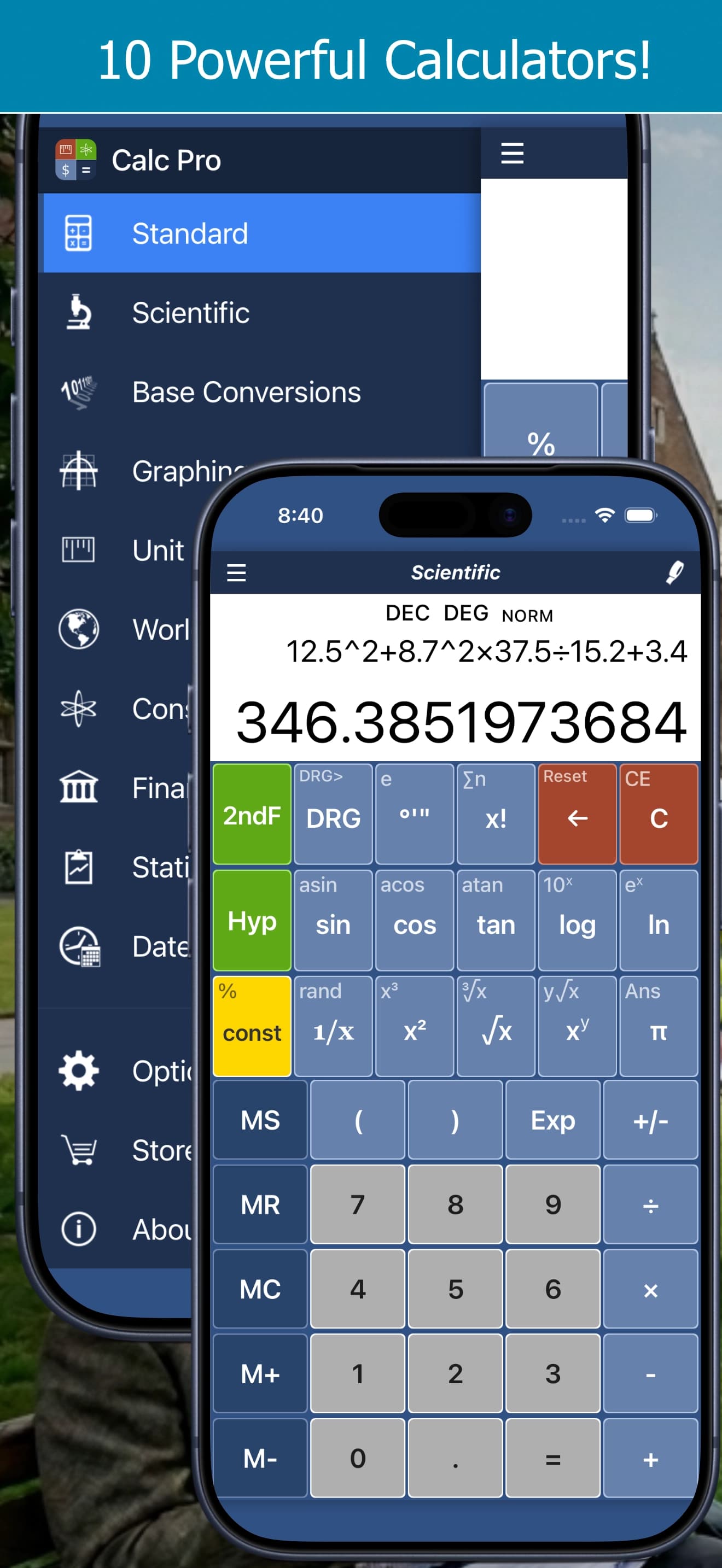
Getting Started with Calc Pro: 10 Calculators in One App
New to Calc Pro? Take a tour of all 10 calculators, the side menu, Tape View and settings, on iPhone, iPad or free in your browser.
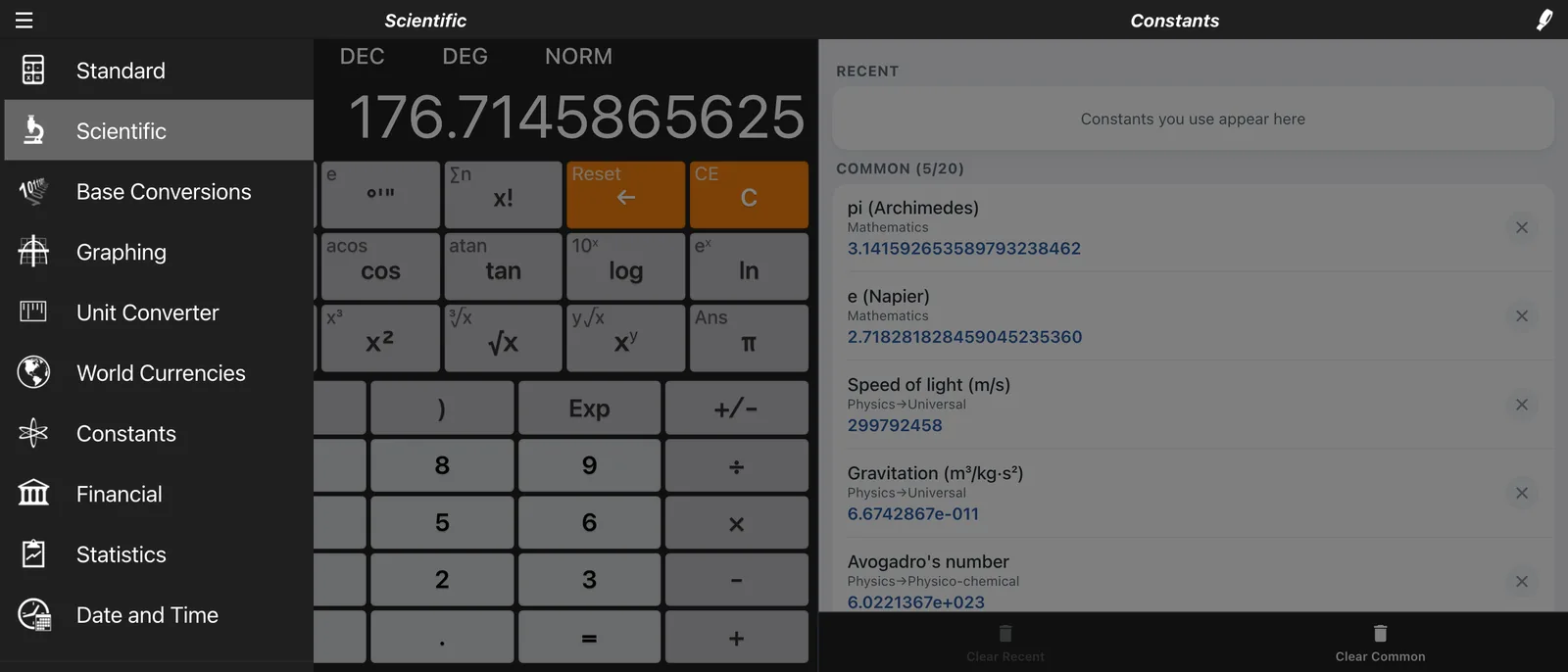
Whether you're a student tackling complex equations, a professional running financial calculations, or simply need a reliable everyday calculator, Calc Pro has you covered. This comprehensive guide will walk you through everything Calc Pro has to offer.
What is Calc Pro?
Calc Pro is a professional-grade calculator application that combines 10 specialized calculator modes into one powerful tool. Unlike basic calculator apps, Calc Pro provides the functionality you'd find in dedicated scientific calculators, graphing calculators, and financial calculators – all in a single, beautifully designed interface.
The 10 Calculator Modes
1. Standard Calculator
Your everyday calculator with a twist. The Standard mode includes:
- Basic arithmetic operations (+, −, ×, ÷)
- Percentage calculations
- Square and square root functions
- Tax+ and Tax- buttons for quick tax calculations
- Full memory functions (MS, MR, MC, M+, M−)
- Last Answer (Ans) recall
2. Scientific Calculator
A full-featured scientific calculator for advanced mathematics:
- Trigonometric functions (sin, cos, tan) with inverse functions
- Hyperbolic functions (sinh, cosh, tanh)
- Logarithmic functions (log, ln)
- Exponential functions (10^x, e^x)
- Powers and roots (x², x³, √x, ³√x, x^y)
- Factorial (x!)
- Constants (π, e)
- Degree/Radian/Gradient mode switching
3. Graphing Calculator
Visualize mathematical functions with up to 8 simultaneous equations:
- Plot functions like sin(x), cos(x), x², and custom equations
- Zoom in and out
- Pan and translate graphs
- Color-coded function lines
- Real-time equation editing
4. Base Conversions (Programmer Calculator)
Essential for developers and computer scientists:
- Binary (BIN), Octal (OCT), Decimal (DEC), Hexadecimal (HEX)
- Logical operations: AND, OR, XOR, NAND, NOR, XNOR
- MOD (modulo) function
- BCD conversion
- Hexadecimal digits A-F
5. Unit Converter
Over 6,000 conversions in 37 categories:
- Length, Area, Volume
- Temperature, Speed, Time
- Weight (Mass), Force, Energy
- Pressure, Power, Torque
- Fuel Economy, Flow Rate
- Cooking measurements
- Data Storage (bytes, KB, MB, GB, TB)
- 18 specialist categories such as voltage, frequency and viscosity (Pro Premium in the iPhone & iPad app)
6. World Currencies
Real-time currency conversion with:
- 165+ world currencies, updated daily
- Bid/Ask spread display
- 50 cryptocurrencies with live rates and price history charts (Pro Premium in the iPhone & iPad app)
- Country flags for easy identification
7. Constants Library
Access nearly 2,000 scientific constants:
- Mathematics: π, e, golden ratio
- Physics: Speed of light, Planck's constant, gravitational constant
- Solar System: Planet masses, distances, orbital data
- Elements: Atomic weights, properties
- Chemistry, Biology, Engineering, Computer Science and Earth Science (Pro Premium in the iPhone & iPad app)
8. Financial Calculator
23 professional financial worksheets, including:
- Mortgage Calculator (with accelerated payment schedules)
- Loan Calculator
- Compound Interest
- Depreciation (multiple methods)
- Break Even Analysis
- Profit Margin
- Tip Calculator
- With Pro Premium in the iPhone & iPad app: Time Value of Money, Cash Flow (NPV & IRR), Lease, Retirement Savings, Savings Goal, Credit Card Payoff, Inflation, Bond, Stock Return, Average Cost, Dividend Income, Options Profit/Loss, Black-Scholes and Position Size
9. Statistics Calculator
Statistical analysis and regression:
- Single Variable Statistics
- Mean, Standard Deviation, Variance, quartiles, skewness and kurtosis
- Linear, Quadratic, Exponential, Logarithmic, Power and Reciprocal Regression
- Permutations (nPr) and Combinations (nCr)
- With Pro Premium in the iPhone & iPad app: Cubic, Quartic and Logistic Regression, frequency data, probability distributions, confidence intervals and hypothesis tests
10. Date and Time Calculator
Date arithmetic and astronomical features:
- Calculate days between dates
- Add/subtract time intervals
- Day of year and week of year
- Moon phase display
Navigation
Calc Pro features an intuitive side menu for quick access to all calculator modes:
- Open the Menu: Click the hamburger icon (☰) in the top-left corner
- Select a Mode: Choose from any of the 10 calculator modes
- Access Options: Choose your button style and color, calculator mode (including RPN), number format and more. See Customizing Calc Pro
- About: View version information and credits
The side navigation menu provides instant access to all calculator modes
The Display Area
Every calculator mode features a professional display with:
- Mode Indicators: DEC/DEG/NORM showing current settings
- Main Display: Large, easy-to-read numbers
- Secondary Panel: Context-sensitive content (constants, history, graphs, etc.)
- Tape/History: View and share your calculation history
Key Features Across All Modes
Memory Functions
All calculator modes support memory operations:
- MS (Memory Store): Save current value
- MR (Memory Recall): Retrieve stored value
- MC (Memory Clear): Clear memory
- M+ (Memory Add): Add to memory
- M− (Memory Subtract): Subtract from memory
The 2ndF Button
The yellow 2ndF button unlocks secondary functions:
- Press once to access alternate operations
- Secondary functions appear in small text above primary labels
- Press again to return to primary functions
Backspace and Clear
- ← (Backspace): Delete last digit
- CE (Clear Entry): Clear current entry
- C (Clear): Clear all
The Tape
Keep track of your calculations:
- View calculation history
- Copy values to clipboard
- Share via email
- Clear history when needed
Getting the Most Out of Calc Pro
For Students
- Use Scientific mode for homework and exams
- Graphing helps visualize equations
- Constants library saves time looking up values
- Statistics mode for data analysis projects
For Professionals
- Financial worksheets for business calculations
- Unit Converter for engineering work
- Base Conversions for programming
- Currency for international business
For Everyday Use
- Standard calculator for quick math
- Tip Calculator at restaurants
- Unit Converter for cooking and DIY
- Date Calculator for planning
Customization Options
Calc Pro offers extensive customization:
- Multiple color themes
- Different button styles
- Display precision settings
- Sound and haptic feedback options
Access these through the Options menu in the side navigation.
Conclusion
Calc Pro combines the functionality of multiple specialized calculators into one powerful, easy-to-use application. Whether you're calculating a tip, solving differential equations, or analyzing financial scenarios, Calc Pro has the tools you need.
Start exploring the different modes today and discover why Calc Pro is the last calculator app you'll ever need!
All Calc Pro Guides
- Getting Started with Calc Pro
- Scientific Calculator
- Graphing Calculator
- Binary, Hex and Octal (Base Conversions)
- Unit Converter
- Currency and Crypto Converter
- Scientific Constants
- Financial Calculator
- Statistics Calculator
- Date and Time Calculator
- Standard Calculator
- The 2ndF Button
- Memory Keys
- Scientific Notation and Display Formats
- Customizing Calc Pro
- Quick Reference Card
- RPN and Calculator Modes
- Mortgage Calculator
- Retirement and Savings Planning
- Investing and Options
- Probability and Hypothesis Tests

Calc Pro
4.6 · 4,712 ratingsPut Calc Pro to work
Use it free in your browser right now, or take Calc Pro with you on iPhone and iPad.
Take it with you


 Coming soon
Free with ads · In-app purchase unlocks the full Pro Premium version